How We Keep AI Animated Characters Consistent in Every Scene
Ask anyone who has tried AI video tools and they'll tell you the same thing: the first shot looks amazing, and by the fifth shot the hero has a different face. Hair changes colour, the jacket loses its buttons, the eyes drift. For a single social clip that might pass. For a YouTube series, a children's book adaptation or a brand mascot, it breaks the story.
At Hintelliweb, consistent character animation is the part of the job we care about most. Here is the pipeline we use on every project.
1. Lock the character on a design sheet first
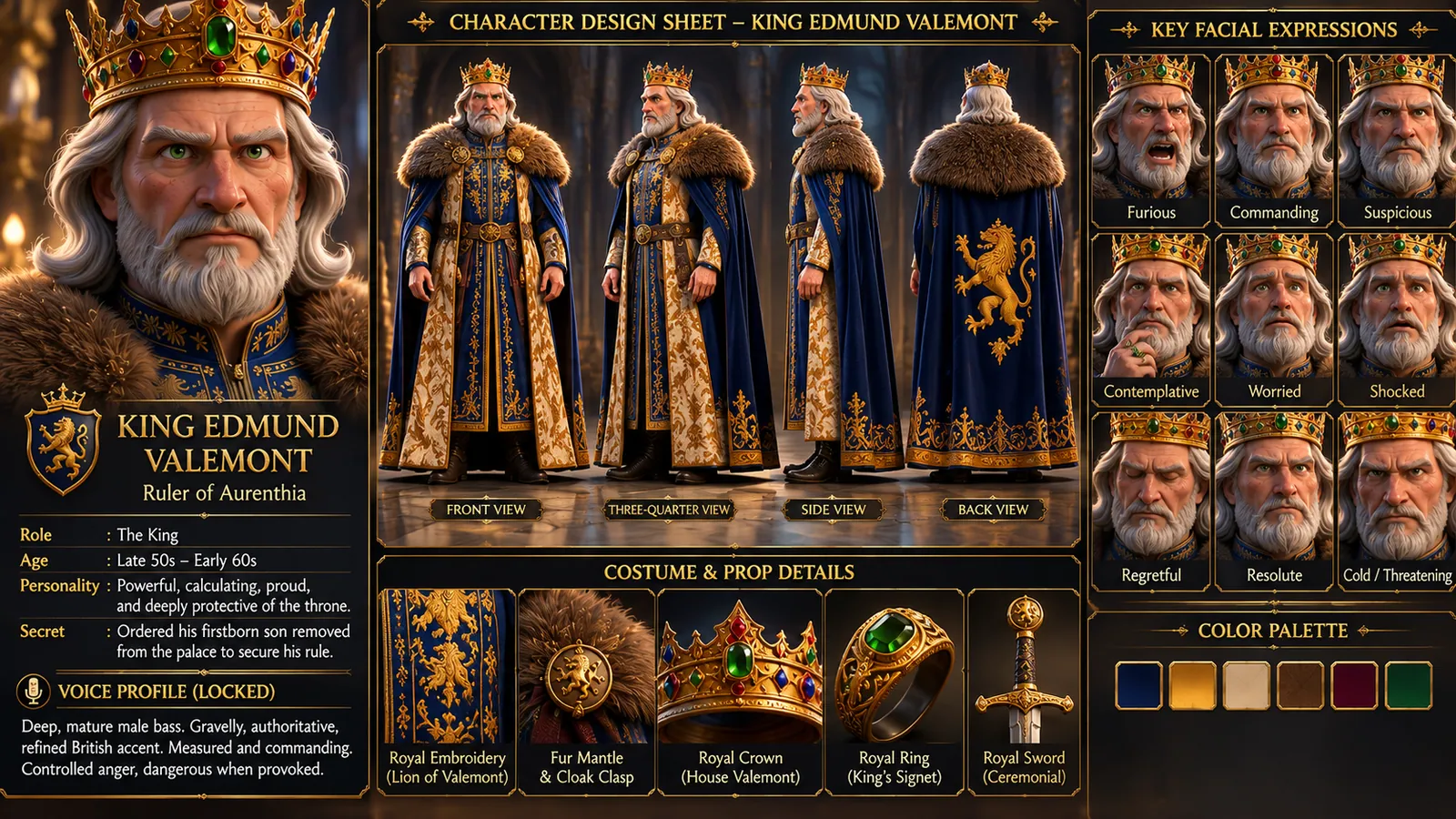
Before a single scene is animated, each character gets a design sheet. For King Edmund Valemont in The King's Secret, that meant a full turnaround (front, three-quarter, side and back), a set of expressions, the crown, the fur cloak, the lion crest on the robe and the exact colour of his eyes. For Tim in The New Kid, it meant his glasses, his bow tie and the way his hair falls.
The sheet becomes the single source of truth. Every later shot is checked against it.
2. Build a reference library, not a single prompt
A one-line description is never enough to hold a face steady. We create a small library of approved reference renders for each character: neutral pose, smiling, worried, talking, in profile. When we generate a new scene, the closest references go in alongside the shot description, so the model is matching a face it has already seen.
3. Animate scene by scene, then review against the sheet
Each scene is generated and animated on its own, then compared side by side with the design sheet. Anything that drifts (a missing earring, a different nose, a jacket in the wrong shade) is redone before it reaches the edit. It takes longer, but it's the difference between a clip and a series.
4. Keep the world consistent too
Consistency isn't only about faces. Rooms, props, lighting and time of day need to match from shot to shot. In our Jordan family series, the blue star bedding, the kitchen and the morning light stay the same through the wake-up, breakfast and goodbye scenes, so the story reads as one continuous morning.
5. Finish like a real film
The last step is the edit: pacing, music, sound effects, lip-sync for dialogue and colour so every scene sits in the same world. That's where AI-generated shots become a finished animated film.
Why this matters for your project
- YouTube and kids' channels: viewers come back for characters they recognise.
- Children's authors: the animated character has to match the one on the book cover.
- Brands: a mascot that changes between ads isn't a mascot.
You can see this pipeline in action on our home page, where each character goes from design sheet to scene to finished film.
Have a story to animate?
Hintelliweb creates 3D AI animated films, kids' stories, music videos, claymation ads and love stories with consistent characters. Tell us your idea and get a clear plan and timeline.
Book a free call